01
LIVE METER
See the ride as it happens.
Follow your position on the map while the fare, distance, time, and speed stay in view. The meter can keep tracking in the background during an active trip.
Track a live fare on the map, set the tariff your way, and keep every trip’s details close at hand.
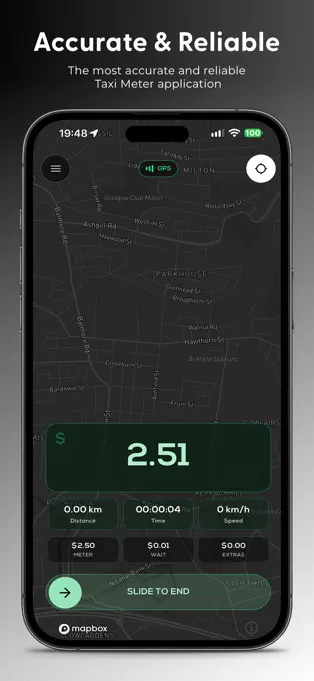
Built around the working trip: set your rates, follow the fare, and finish with a clear record.
Follow your position on the map while the fare, distance, time, and speed stay in view. The meter can keep tracking in the background during an active trip.
Create separate tariff profiles with your currency, miles or kilometres, fare bands, waiting rate, and driver or company details.
Use automatic or manual waiting, pause a trip, add extras, or enter a fixed fare when that is the right fit.
Review past trips, see fare breakdowns, re-share PDF receipts, or export trip records as a CSV file.
Enter a destination to get a route and fare estimate before you start. Fare Estimates are available with Pro.
Open the built-in compass for heading information, with an optional Qibla direction display in the app settings.
Real screens from Best Taxi Meter: live map, saved tariffs, route estimates, and the fare settings behind them.
A live GPS meter and map while you work.
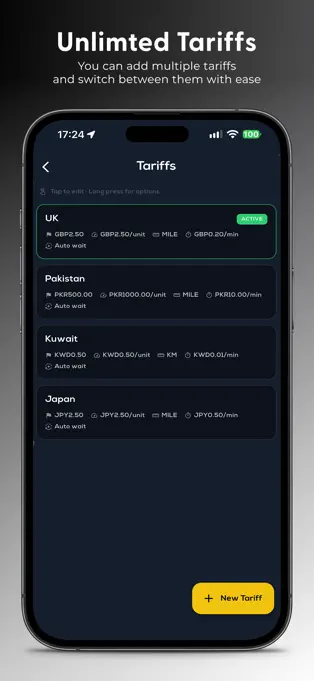
Save separate fare profiles and switch between them.
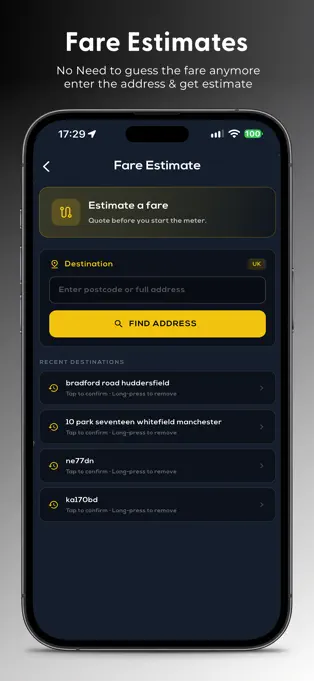
Check a route and estimated fare before a trip.
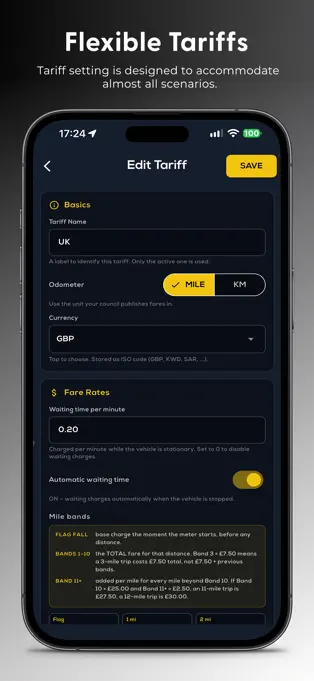
Set fare bands, waiting rates, and distance units.
Build a tariff around how you charge. Set distance units, fare bands, currency, and waiting rates, then make the right profile active for the trip.
Best Taxi Meter is free to download. BTM Pro unlocks unlimited metered fares and the full set of trip tools.
5 free tripsTry the meter with your own tariff.
BTM ProUnlimited fares, receipts, trip history, CSV export, and custom themes.
Fare EstimatesPlan a route and estimate before the ride. Pro feature.
Find more setup help or get in touch with the support team.
Email supportChoose an active tariff, then slide to start the meter. The app uses GPS location to follow the trip and calculate a fare from your tariff settings. At the end, finish the trip to save it and prepare a PDF receipt.
Yes. Tariff Manager lets you create and switch between fare profiles, set mile or kilometre bands, choose a currency, set waiting rates, and add your company and driver details.
Tariffs can add waiting time automatically while the vehicle is stationary, or you can use manual waiting when automatic waiting is off. During a trip you can also pause the meter, add extras, or apply a fixed fare.
The app includes 5 free trips. BTM Pro unlocks unlimited metered fares, PDF receipts, trip history and CSV export, custom tariffs and themes, and removes ads. Fare Estimates are a Pro feature.
Location is needed for GPS fare tracking, the live map, and route estimates. Background tracking needs the relevant location permission and can use additional battery while the meter is active.
Requirements differ by location. Check your local rules before using a phone-based meter to charge a fare; the app’s terms ask you to use it only where permitted.
Set up your tariff and keep the trip details together, wherever the next ride takes you.